Build Your Mom a Website
It's easier than explaining what an AI coding agent is
Origin Story
I was struggling to explain what exe.dev and Shelley are to my mom. So instead of explaining, I sat down with her and started building a website for her book club, from my iPhone. No laptop, no IDE, just conversational prompts to an AI coding agent. Later, I polished a few things from my MacBook, but the core of the site was built on my phone.
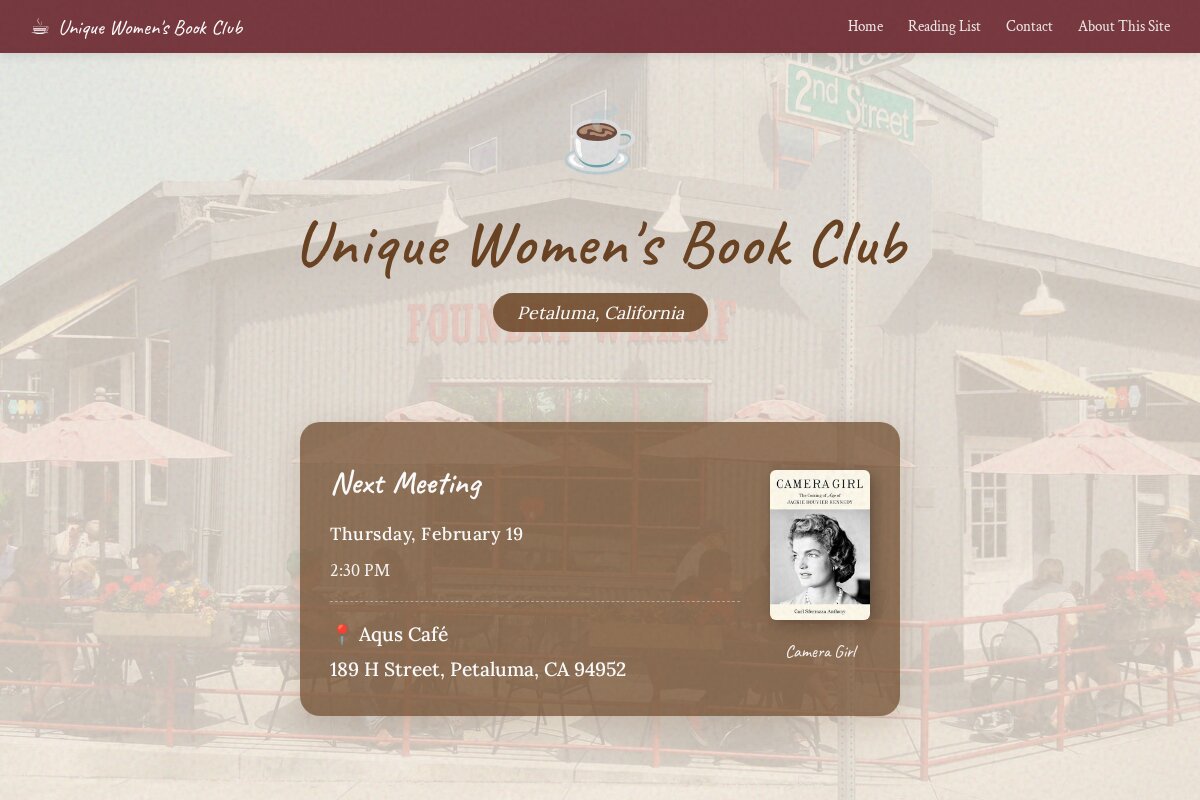
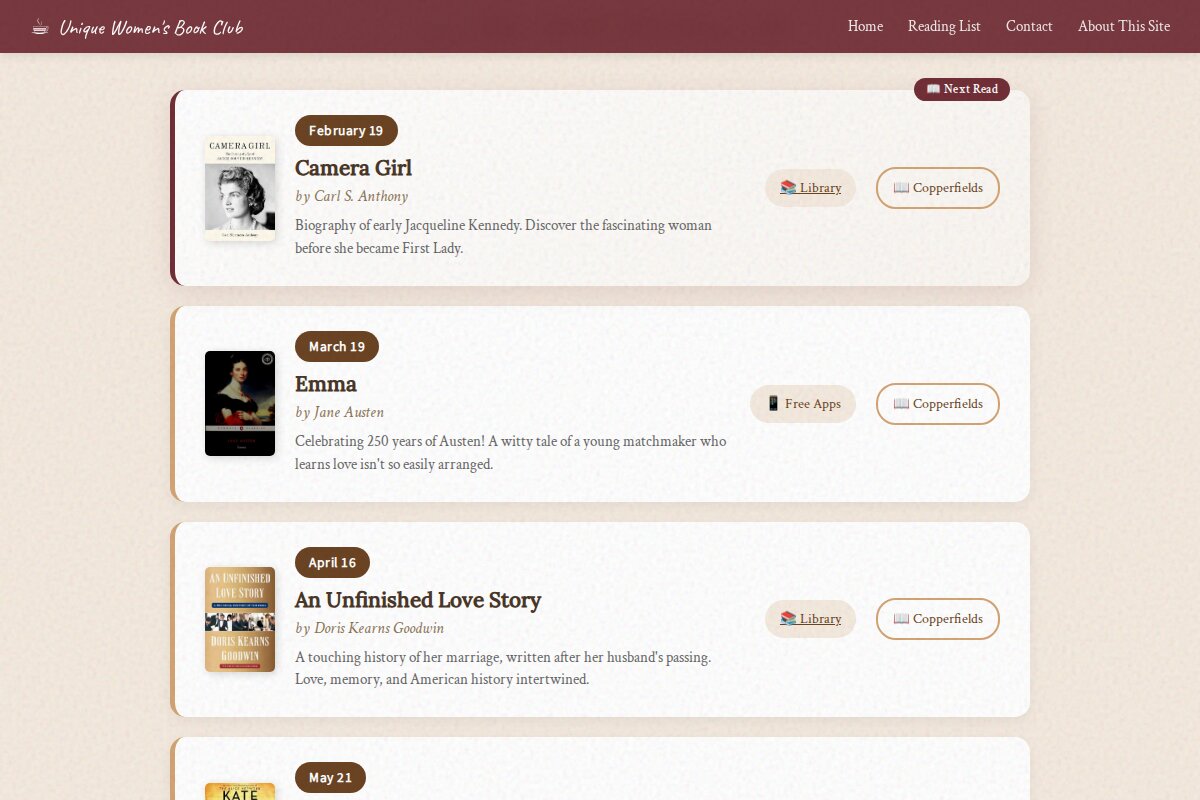
The result is uwbookclub.com, a site for the Unique Women's Book Club, a group that meets monthly at a café in Petaluma, California. The site displays meeting details, the reading list, and links to find each book.
The whole thing took about an hour. My mom watched as I typed prompts and Shelley wrote the code, ran it, took screenshots, and iterated. By the end, she got it. Not because I explained it, but because she saw it happen.
I didn't write any code manually. Every line of HTML, CSS, and JavaScript was generated by Shelley based on conversational prompts.

Stack Overview
Architecture
The development workflow used a conversational interface to an AI coding agent running in a cloud VM:
See the About exe.dev & Shelley section below for more details on the tools.
Conversational Development
The entire site was built through natural language prompts. The design was guided by Anthropic's frontend-design skill, which helps create distinctive, polished interfaces. Here's the actual development flow:
"I'd like to make 5 different creative landing page concepts for my mom's book club..."
Shelley generated 5 complete HTML files with distinct visual styles. After picking a favorite, refinement continued:
"Can we add a hero background image with a semi-transparent overlay that is the color of the current background on the website?"
"It's hard to make out the text 'Petaluma, California' on the background image."
"Can we link to the actual book page on Copperfield's website like copperfieldsbooks.com/book/9781982141875 for Camera Girl?"
Each prompt resulted in working code changes, committed to git, with the agent taking screenshots to verify the results.
Final Thoughts
This was a simple site, but the workflow scales. I'm curious to see what others are building with Shelley and exe.dev.
Other Projects
This book club site isn't my only project built with Shelley on exe.dev. Here are some others:
All of these projects were built on exe.dev with the help of the Shelley coding agent.
About exe.dev & Shelley
What is exe.dev?
exe.dev is a cloud platform that provides persistent Linux VMs with instant HTTPS access. Each VM comes pre-configured with Shelley, an AI coding agent accessible via web browser. The VMs have full shell access, can install packages, run servers, and persist data across sessions. You can access it from your phone or desktop: just ssh exe.dev or visit the web interface.
What is Shelley?
Shelley is exe.dev's open-source coding agent. The name refers to the Unix shell (since it's good at operating shell tools) and shares a name with the poet Percy Bysshe Shelley. It's mobile-friendly, web-based, multi-conversation, multi-modal, and multi-model. Shelley runs on your VM, putting the agent right next to the systems it's working on.
Shelley uses Claude as its LLM backend and has access to tools like bash execution, file editing, headless browser control, and semantic code search. It can take screenshots, navigate websites, run servers, and commit to git, all through natural language conversation.
Resources
- → exe.dev - Cloud VMs with AI coding agents
- → Introducing Shelley - Blog post about the coding agent
- → Shelley on GitHub - Open source repository
- → Anthropic Skills - Reusable AI guidance patterns
- → Frontend Design Skill - The skill used for this site
- → Anthropic Docs - Claude API documentation